Showing posts with label Technology. Show all posts

Saturday, April 28, 2012

iPod Series

(UPDATED: May 1, 2012)

The iPod debuted in 2001. Its evolution over time has helped it to become perhaps the most sought-after and most well-loved portable media players of all time. This blog post of mine is a celebration of the iPod series as well as my appreciation for the iPod. This post even takes a look at the iPhone. What will NOT be discussed here is the iPad. What you will be seeing is a lot of material regarding the iPod series and even some thoughts of mine regarding the iPod series. Consider this a continuation of my "Apple Appreciation" blog post, but on a specific Apple product.

A Special Hello...

If you are somehow viewing this blog post on an iPod or iPhone (I do get blog hits from iPods and iPhones), I'd like to say hello to you and thanks for visiting John's Blog Space!


LATEST UPDATE(S)/REVISION(S):

MAY 1 2012 - added some extra Resources along with more pictures


--- iPod at a Glance ---

Picture, please:

Apple iPod range
^ from: neptune.im - The iPod is MUCH more than an MP3 player- it is perhaps one of the most technologically (and maybe even culturally) significant portable media players in our lifetime.

In my view, the iPod series is one of the most influential devices of any kind. Its allure lies in the many abilities in enjoying media. It is a device that has been a key part in the further evolution of enjoying music. Over time, its appeal has been expanded with the ability to store pictures and even even video. The simplistic design and various other capabilities have made the iPod to be more than just a portable media device. Note that I am NOT calling the iPod lineup an MP3 player. iPods may play MP3 players, but they can play MUCH more. In Apple's attempts to take its portable baby and expand its popularity and capabilities to points unfathomable, they've added many more features and made many more revisions to iPod models. Apple's finest offering

The iPod is perhaps the best way to enjoy music. It is as much of an evolution in enjoying music since portable cassette players and even portable CD players. Even with MP3 players gaining steam, Apple made the iPod to be much more capable than any MP3 player. Even as the iPod was becoming popular, not as many people could afford a base iPod. So along came individual models letting people enjoy the iPod experience, but for much less than the standard issue iPod. The first of these was the Nano- a slimmer iPod with a color display and plenty of features to keep you interested. Advancements in the Nano over time meant many improvements in the iPod Nano experience. However, the Nano was becoming more expensive. The cheapest way to enjoy the iPod experience was to enjoy it without a screen. Enter the iPod Shuffle. The Shuffle allows you to enjoy your favorite iPod material (obviously except pictures and videos) with a VERY portable device. While the base iPod is exceptional, the best iPod money can buy was launched in 2007- the iPod Touch. In addition to music, videos, and pictures; the Touch blew the minds of many people with what it has to offer. Among the biggest features were a handful of applications (apps) and WiFi connectivity. You can even play games with it. All could be controlled using its touch screen. A special sort of iPod Touch would come along in the future delivering all of its capabilities, but you can also make calls with it. That device would be called the iPhone.

In other words, the iPod and its lineup range have not only forced other makers of MP3 players and other portable media devices to step their game up, they've become a league of their own. They have become truly significant in today's technological culture. It is a device and a series of devices which distinguishes itself far and beyond others. Even today, getting an iPod still means a whole lot for the person who wants to enjoy music (and other media) on the go. It is a device that is great even if you don't like Apple. Even those who aren't Apple fans have to at least appreciate what all the iPod has meant and what it stands for in technology.


--- iPod Models ---

This is a celebration of the iPod, but it is NOT a proper historical piece on the iPod series. So don't expect too much here. I WILL highlight on each of the iPods with as much as I know about them.

NOTE: Some information provided by Wikipedia as well as Apple's home page were used to help complete this section.


iPod Classic Series.

Here's a look at the base iPod.

iPod Classic
^ from: amazon.com - This is the classic iPod- tall and with a vivid screen.

• The very first iPod was released back in 2001 with a 5GB hard drive and a physical scroll wheel. It also had a monochromatic screen. It was also a great deal bulky. A FireWire connection allows you to charge it up and move music files to and from your Mac or PC.

• Touch-sensitivity began with the third iPod starting in 2003. It had a touch wheel along with the main controls (Play, Forward, Reverse, and volume controls)

• Around 2004 or so, the 4th Generation iPod came around.

• It was the 2005-released 5th generation iPod that I first got interested in. I played around with some iPod 5G models at some Sam's Club stores once. The biggest draw to the 5G iPod was its ability to play back video. In my Community College days, I saw a few students go around with their 5G iPods. Some even hooking them into PCs at the computer lab.

• In today's culture, the 6th Generation iPod is the current one, not to mention the first to gain the "Classic" nomenclature.

The iPod Classic (6G) is sold in stores at about $249 US Dollars.


iPod Nano Series.

iPod Nano
^ from: www.kineda.com - If a base Nano is too big for you, try this slimmer iPod for size! (5th-Generation Nano featured in pictures)

Created as a lighter and more fun iPod, the iPod Nano made its grand debut in 2005. The iPod Nano is an answer to those who can't afford a proper big iPod but still want to enjoy the iPod experience. So it's an iPod for those who can't afford the big iPod.

• The very first iPod Nano was a less bulky and much slimmer iPod than the big ones.

• A smaller wheel and slimmer appearance- along with many splashes of color- would occupy the second generation iPod Nano models.

• The third generation iPod Nano is shorter vertically, but is wider than the previous iPod Nano generation models, making it appear much more like the big iPods... only not the big iPods. The biggest element of the third-generation iPod Nano is its video-playing ability. So you don't need the big iPod to enjoy watching videos.

• Fourth generation iPods got a curvy appearance along with a tall screen. However, the wide-body appearance of the third-generation model went back to a slim model for the 4th-gen Nano.

• An even taller screen along with video-taking capabilities and a microphone help flank the 5th-generation iPod Nano. So you could listen to music and even take some pictures or videos if you so please.

• In today's Nano culture, the sixth-generation iPod Nano is the latest model. It is also the smallest iPod Nano as it can easily be clipped onto whatever garments or items you want to clip it on. It has a touchscreen as well as an FM Radio feature. It also has a watch feature where you have a stylish watch to check time. A watch band for the iPod Nano will allow you to wear the iPod Nano as a watch.

Personally, I considered wanting the 5G Nano early in my YouTube video work. I wanted something to enjoy seeing video as well as making videos comfortably. I couldn't really connect with the Nano much because I was too much into the Classic iPod model.


iPod Shuffle Series.

iPod Shuffle
^ from: www.photokina-show.com - The iPod Shuffle is the only iPod series that lacks a screen. (4th-Generation Shuffle featured)


Apple wanted to deliver the iPod listening experience with an even smaller price tag. So to prove this point, enter the iPod Shuffle. The Shuffle entered the world in 2005. The Shuffle is the easiest model to identify because the Shuffle iPods do NOT have a screen. It is essentially a device that has a big Play/Pause button, the Forward and Reverse buttons, and volume controls. That's it.

• The first-gen Shuffle had an unlockable bottom piece that can be hooked into a USB port.

• Much smaller and wider, the 2nd Generation iPod Shuffle retains many of the features of the 1st Shuffle, excluding the USB connector. This Shuffle was the first to feature a clip. So you could clip this onto something and enjoy music on the go. This would be a mainstay with Shuffle models since.

• The third Shuffle had a feature that allowed you to connect to a USB port with the headphone portion. It has a status light as part of its design.

• Today's iPod Shuffle is the 4th-generation model. Its appeal is in having an appearance more like the 2nd generation Shuffle, but with many color choices. In fact, it is the ONLY Shuffle to have your choice of color.

A Shuffle starts off at about $49 US Dollars.


iPod Touch Series.
iPod Touch
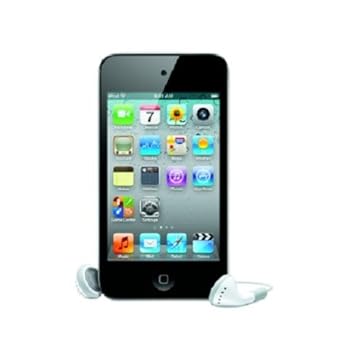
from: amazon.com - the iPod Touch. This specific one is the iPod Touch 4G model.

Apple's ultimate offering for iPod lovers came in the form of the iPod Touch. Touch screen navigation along with WiFi and photo/video features make the iPod Touch even more top-of-the-line than any other iPod in the range. The iPod Touch is even its own gaming platform. In addition, wireless access to iTunes can be had with this device. And if you are ANYTHING into Apple, you're crazy for applications (or apps in this day and age) for all kinds of purposes and uses. You can even browse the Internet using Apple's answer to Internet Explorer- Safari. It is also capable of taking videos and pictures. I personally think while the standard iPod is one of the most influential and significant media devices of any kind, the iPod Touch is an absolute marvel and really- the ULTIMATE iPod. The Touch's only negative is that smudges easily with its touch screen as well as the aluminum back. So it would be wise to get a case for it unless you want to have to clean it often.

• The iPod Touch made its debut in 2007. The first generation Touch was a good bit bulky while delivering MANY more features that made this device a solid hit. All of the apps and WiFi connectivity was a start for what would be a portable media device with no equal.

• The second and third generation iPod Touch models are essentially the same. Only the third generation Touch models have engraving of the iPod Touch capacity. The second-gen Touch does not have any engraving except for the iPod name and the Apple logo.

• Today's iPod Touch is in its 4th Generation. The 4th Generation iPod Touch is thinner and sleeker than any iPod before it. It is also more powerful than its previous models and with a wider screen. And unlike previous iPod Touch models, this model features two cameras- front and back. Its back camera is also exposed rather than covered up. Among all iPod Touch models, it is the only one offered with different colors; but there are only two color choices- black and white.

The iPod Touch starts out these days at $199 US Dollars for the 8GB model and goes up to about $399 US Dollars for the 64GB model.


iPhone (Honorable Mention!).

At an address, Steve Jobs (rest in peace) was trying to get an audience attached to his latest vision- iPod and phone. The iPhone was conceptualized starting in 2005 and made known to the world in 2007. The iPhone was actually released before the iPod Touch. The first iPhone was released in June 2007 while the first iPod Touch was released in September 2007. To many people, the iPhone is an iPod Touch with a phone contract. You had to have a contract deal with a provider like AT&T or Verizon Wireless to take advantage of its calling capabilities. In its history, it has seen over five difference iPhone models. Two of them are no longer offered- the iPhone and the iPhone 3G. Today's models include the iPhone 3GS, the iPhone 4, and the iPhone 4S. The iPhone features some additional programs and capabilities that the iPod Touch doesn't have. Among the many additional features is Siri, which is like your own personal assistant. Activating and using Siri will allow you to do things like take reminders, request information, and activate commands.

The reason why I put this as Honorable Mention is because the iPhone is still essentially an iPod. So you still can enjoy all or most features as you would an iPod Touch, but also use it as your mobile phone. This is just an iPod where you can also send and make calls with.


Most of the real part of this blog post is complete. Want to see more commentary from me on the iPod range? Make sure you are reading the full blog post if you want to see more. If you see "Read More," you are NOT reading the full blog post. Click on "Read More" to continue your experience of this post if you have enjoyed your reading so far. I have more to get to here.


--- My iPod Interests and Thoughts ---

Time now I share some iPod thoughts.


Basic iPod Thoughts.

For one, I've always considered the iPod to be one of the most significant and distinctive portable media players of all time. My initial interests began with the iPod Classic back in my community college days. I had interests in wanting to download videos and listen to music. I knew I didn't have the money to get any iPod. So to curb this, I bought myself a 2GB capacity SanDisk Sansa Clip back in 2008. I wanted a new MP3 player apart from a previous one I had. It served me well up until it finally gave out on me after Hurricane Ike. Since Christmas 2008, I have enjoyed my 4GB SanDisk Sansa Fuze.

I have long wanted an iPod all the while. With prices going down and me actually making money from blogging, I want to eventually get the iPod Touch- preferably the fourth-generation iPod Touch. Part of my reasoning is because I have been fascinated with what all the iPod Touch can do. Two of my family members have iPod Touch models. I just want my own. Really, one of the big reasons I want the Touch is because I want to enjoy WiFi access as well as being able to have this more-than-suitable device in this modern world. And in case you're wondering, the 8BG model iPod Touch is what I'd want. I don't have an excessive amount of media or want to get too crazy with apps that I'd want an iPod of any capacity greater than 8GB.

Also, I wouldn't go overboard buying and downloading tunes and apps from iTunes. That too is a reason why I'd let most of my iTunes activity be minor.


Would I Want the _____?

Just like in my "Apple Appreciation" post, it's time I answer if I want certain iPod models over others. So check this out:


Would I want the...

• ...iPod Shuffle?
No! I understand it as an entry-level iPod, but there are a number of reasons why the Shuffle just doesn't suit me. For one- it's so small, you barely even know it's there. I'd prefer a screen to actually know what it is I am listening to. But really, I've just never really wanted a Shuffle.


• ...iPod Nano?
Maybe the 5G, but especially not any other (including the new 6G Nano). The newer Nano was a downgrade for me with the camera feature gone. The newer Nano is surely the most stylish with its touchscreen and clean-looking visuals. Another redeeming quality is its ability to play FM radio. Other than this, I've never been fully excited about the Nano. The main reason I was interested initially in the 5G Nano was because of its camera feature.


• ...iPod Classic?
Yes... until I became interested in the Touch. Considering the 6G Classic iPod retails for about $249 US Dollars, I've lost interest in the Classic ones that I wanted a few years ago. I think it was the 4G or 5G Classic (this was before the "Classic" namesake came along for the standard iPod) I wanted around the time.


• ...iPod Touch?
Yes! All of the different features and capabilities of the iPod Touch are why I want one. You can say that I've been enamored with the Touch and its capabilities so much that I became very fond of it. The 8GB Touch is just right for me considering how much media I have on my PC and how much material I would plan to use with the iPod Touch. Of course, I'd even be interested in using WiFi to use the Internet as well as enjoy various forms of media from around the Internet with an iPod Touch. I haven't made mention to it or really want to engage in it, but the Touch is also its own solid mobile gaming device. More people (according to some reports I've read online) game with the iPod Touch than with the Nintendo DS and Sony PSP.

There is only one thing I'd be fearful of using the Touch- getting it dirty and smudged up. So I would have to invest in a cover or a skin for the iPod Touch and maybe even get a screen protector so that I won't have to continually clean the touchscreen after use. If I feel like I can't use the icons effectively, I may elect to get a stylus to cleanly touch the screen. So really, that's TWO things I would be fearful of- trying to clean it constantly, and spending too much money on accessories and such trying to make the most of the iPod Touch. Otherwise, I hope for my next portable media player to be the iPod Touch.


• ...iPhone?
No! Even though the iPhone came before the iPod Touch 4G, and even though the iPhone has some features even the iPod Touch 4G doesn't have (like Siri and GPS); I am not much of a phone person. So there would be no point in getting a mobile phone when you're not a phone person. An iPhone has usually been considered an iPod Touch 4G, but without the phone contract. I've seen from YouTube videos that the iPhone has some better capabilities than the iPod Touch. I saw how the iPhone has better video quality and picture quality than the iPod Touch 4G. The iPhone even seems like a device of great quality you can actually feel in your hands. I am just not a phone person, and it is unlikely you'll see me going around town with an iPhone doing whatever.


And those are my own iPod thoughts and if I would want any of these models.


--- iPod: Final Thoughts ---

I mentioned the iPod as one of the single most influential devices of any kind in this lifetime. What the iPod has done to go far and beyond what a portable media player should be capable of is just mind-boggling. This especially holds true to the iPod Touch and iPhone. Many imitators and those trying to topple the iPod range have all tried to steal the thunder and swagger from the iPod. You name it (some I am afraid to include in this sentence)- the SanDisk Sansa line, the Zune series from Microsoft, even various fake iPods- have all tried, but can't top the iPod range. I didn't make too many mentions to it, but part of the iPod's appeal (especially with the Touch) is in this being a solid mobile gaming device as well. I have great respect first and foremost for the iPod series.

The iPhone is everything good the iPod range is (especially with the iPod Touch), while also being a solid mobile phone. Here is a case of a portable media player that can also serve as a quality mobile phone. All this does is further expand upon the portable media playing capabilities of the iPod and iPhone. Not only expand, but also expand with a quality product. Only reason why you wouldn't want an iPhone (to me) is if you don't want to be tied to a certain contact to use it or to enjoy high-speed mobile material.

Regardless, the iPod series is something you have to appreciate and respect even if you are not a fan of Apple. It has been greatly significant in today's technological culture compared to almost any other heralded and popular device in our lifetime. Anything from the base Shuffle to the top-of-the-line iPod Touch and iPhone represent the goodness only Apple can provide, not to mention what only the iPod series can provide. You just have to show some respect for the iPod range even if you couldn't care less about it.


--- iPod (and iPhone) Resources ---

Resources online for the iPod (and the iPhone) are as follows (more may be added in future edits):

Apple iPod
iPod - Compare iPod models and find the one right for you.
iPod on Wikipedia
List of iPod Models - Wikipedia
Identifying iPod Models « a helpful resource to aid you in identifying certain iPod models.

iPod/iPhone on about.com
All things iPod, iPhone, iPad and Beyond | iLounge


Apple iPhone
iPhone on Wikipedia

(More links may be added in future edits)


So that concludes another blog post! iHope... I mean, I hope this blog post was to your liking. iWant... uh, I want you to Subscribe and Follow "John's Blog Space" if you enjoyed my work. Thank you for reading!

"Like" me on Facebook, Follow JBS, and/or Contact Me via E-Mail!
Subscribe to John's Blog Space (JBS) Subscribe to John's Shop Space (JSS) Subscribe to John's Gran Turismo Space (JGTS)

Friday, April 27, 2012

Apple Appreciation

(UPDATED: May 1, 2012)

Many people use Apple computers or products. I use Windows because I'm comfortable with Windows products. The following blog post is... not sure how to explain it. Maybe call it an Apple appreciation post. It is my post of random musings regarding Apple computers and products. I will even share with you some Apple interests of mine.

I would like to give a special hello to all of you worldwide who may be visiting "John's Blog Space" on any Apple product! I hope you can appreciate my Apple chatter from a Windows/PC guy. :)

LATEST UPDATE(S)/REVISION(S):

MAY 1 2012 - added some more links in Resources


--- Beginnings of Apple Appreciation ---

Let's set the mood with a picture:

Apple Inc. logo
^ from: www.iphonelife.com - Micro... who? In case you didn't realize, this post salutes Apple and its products. I chose the rainbow Apple logo for nostalgia.

For most of my life, especially in school, I've always been around Apple computers mostly. I can recall in my elementary school and middle school days playing games like "Number Munchers" and "Oregon Trail" (MECC (Minnesota Educational Computing Corporation) for the win!). There were times when we had these programs to try to learn things as well as to refresh my mind.

I had used Mac computers in my Middle School when I took Business class as well as for basic computing skills. I have a banner hung on my wall over my bed that says "John" that I made back in my 8th Grade (1996-1997 for me) days. I then wrote on it with some messages.

Being so used to PCs and Windows, I have not been too comfortable or wanting to religiously use Apple products. Having a one-button mouse is most unusual when I'm so used to two-button mice. I am still comfortable with a two-button mouse than a one-button mouse.


My Apple Computer Experience(s).

The main computer I best remember is the Apple IIgs. In the early 1990s, I would be at my grandmother's house and play on the Apple IIgs computer in a back room. Most of what I played were games stored on 5 1/4 floppy disks. There were maybe two 3.5 floppy disks that were part of the Apple IIgs the computer had. One of them had a tour of the Apple IIgs where you controlled one man who is trying to escape through an underground tunnel. Along the way, you were taught things like pointing and clicking and dragging. The tour would finish up with a look at how to do other things, like word processing, spreadsheets, and more.

Maybe one game I best remember playing was this Donkey Kong game on a 5 1/4 floppy disk. At fortunate times, there would be a glitch to where I could easily clear stages without having to worry about dying just because I forget to jump or run into a barrel.

Some people say that the Apple II series (especially the Apple IIgs) is still one of the best Apple computer series of all time, let alone one of the best computers of all time. I still have my fair share of memories with this PC.


Apple Store.

At times, I used to drop into the Apple Store at malls. The one mall I best remember going to an Apple Store the most was the Apple Store at Baybrook Mall here in the Houston/Galveston area (in Friendswood, TX, USA). Apple Stores are stocked with loads of Apple products and accessories, including games made specifically for Apple computers. You could even get yourself an iPod or an iPad. You can surely demo these products (and more) while at the Apple Store. About the only other Apple Store I know of around here is the Apple Store at the Houston Galleria shopping mall.


There. These are some of my beginnings of Apple.


--- My Recent Fascination With Apple ---

These times have been a bit trendy for me seeing a good number of YouTube videos regarding Apple products. As of this post, I have NEVER owned a single Apple product.

It was about late last year when I became interested in getting an iPod Touch 4G. Part of the reason was because I wanted to step up from my SanDisk Sansa Fuze (I have a 4 gigabyte model Sansa Fuze). I was working myself up slowly to return to YouTube video making and watching. I started watching a handful of videos regarding the iPod Touch 4G, including even watching videos of unboxings from the YouTube channel, "DetroitBORG." I've even looked at channels like "SoldierKnowsBest" and "jon4lakers" for insight on Apple products.

I was looking at the Apple Store online and seeing video previews of various Apple products. For the most part, I was pretty impressed with a lot of what these Apple items offered and what they were capable of. So imagine how I felt about seeing certain recent Apple products in YouTube videos. Before preparing this blog post, I recently saw videos regarding the Apple IIgs computer I once used and some games I played on the IIgs. Needless to say- while I don't consider myself an Apple person, I do respect and admire Apple for what they offer.

You now know about my recent Apple fascination. Check out the next section for more appreciation for Apple.


--- Apple Interests of Mine ---

Let me share with you some interests of mine regarding Apple and Apple products.


Basic Apple Chatter.

I sense I get blog hits from Apple computers and Apple products. For example, I learn of people who visit using an iPod or an iPad. Apple's premier browser is Safari, and there are some who visit using Safari. There is also Mobile Safari for mobile users. As I've learned, Safari doesn't have Flash, so I wonder how it's possible to view certain Flash media in my blog (or in others) for Safari for my Apple visitors.

I saw one video about the Apple headphones that have a microphone for them and some remote access. These headphones are pretty ingenious in their design. I thought it was pretty cool how these headphones could also be used with certain headphone-enabled mobile phones for chatting and listening to calls.


iPod.

One of the reasons why I considered doing tech reviews was because of the iPod Touch. I have been fascinated with the iPod Touch and what all it was capable of. Maybe what I am most intrigued about this device is the WiFi ability of the iPod Touch. To me, the iPod Touch is more about having a marvelous piece of technology rather than having marvelous technology from an Apple product. I am starting to feel like the iPod Touch would be great for me for reasons other than music. I'd want the 8-gigabyte model for two reasons- (1) I don't have many gigabytes of MP3s on my computer, and (2) I'm not entirely app-crazy. Maybe there are a few games I wouldn't mind paying for (like Real Racing and Real Racing 2), but I wouldn't be too app-crazy. I am not sure if I'd go accessory and dock crazy either. If I was interested in doing Facetime with friends, I wouldn't mind doing so in chatting with others. I also would be interested in how blogs and sites look using Safari. I did a John's Corner on mobile blogging, and I still am very interested at if I could make my blog better for my mobile users.

Previously, I was interested in the 5th-gen iPod. The 5th Generation iPod Nano was what I was interested in as my YouTube video career was just getting warmed up. I wanted the 5th-generation Nano for its video-making capabilities. Ever since the Nano dropped the camera and went with the 6th-generation changes, I didn't want a Nano any longer.

I still enjoy my 2008-ish 4GB SanDisk Sansa Fuze. However, I want to eventually step up to the iPod Touch. I would prefer getting the iPod Touch 4G. I want a black one more than I'd would want the white model. There is no difference in performance with either the black or white iPod Touch 4G. Heck, I don't care if the iPod Touch 4G came in blue and gold (the official colors of "John's Blog Space")- I would really want to get an iPod Touch 4G. One thing I'd fear is getting the iPod Touch all smudged up and everything. So I would need to get a case to keep the iPod Touch as clean as possible while using it or accessing it.

Now before you spammers and scammers try to rip a brother off, I would rather pay for one at a store or online with my own money. I would rather even get one as a gift from a trustful person (like a family member or a friend) rather than get one through some seedy or suspicious offers. So don't even think about taking advantage of me with some sort of seedy offer.


iPad.

You know, I always wondered what it would be like to use the iPad. I would never want one, but I'd just be fascinated at what all could be done with the iPad. Many people just look at the iPad as a deluxe-size iPod Touch. What you can do with the iPod Touch, however, is much different than with an iPod Touch or an iPhone. I think having an iPad is like having a computer that you can carry around. What you're able to do with it is incredible to me. Imagine being on the go and be able to view the latest YouTube videos or read blogs or websites all on an iPad. Trust me- its allure and appeal are both there. I am not any kind of hater of the iPad. I wouldn't want one, but I think it is very cool.

I mentioned doing tech reviews for the iPod Touch 4G as part of my deal in reviewing products. Well, the iPad is another one I probably wouldn't mind doing a product review for either.


iLife and iMovie.

Many people make movies from their Apple devices. One of the premier programs in making movies is iMovie or iLife. You may remember I did a post here on John's Blog Space where I talked about certain popular iMovie songs you hear featured in YouTube videos. I mentioned songs like "Headspin" and "Stepping Out" among various other songs. Well, I've always had respect for this program because some high-quality videos were made using iMovie. It even has some effects I wish I could use or fake from Sony Vegas Movie Studio HD 9 (that I use to edit my videos). Even if just for the iMovie jingles and some of the video effects, I'd really want to use iMovie to edit my videos and add some extra flavor to them.


iTunes.

Even if I had some money lying around, I probably wouldn't mind buying songs from iTunes. Same would apply for getting apps. Maybe my biggest motivation to use iTunes would be to subscribe to podcasts. I try to find some stuff (usually free) to enjoy listening to away from the PC. So speaking as a lover of electronic dance music, I'm subscribed to things like Trance Around the World, VONYC Sessions, and stuff like that. Haven't downloaded anything recently, though.


Would I Jailbreak?

As I understand it (maybe you all can help me understand better), jailbreaking is the process in which you basically hack into an Apple product to make it be able to run more programs, most of which not authorized by Apple. Jailbreaking will go against your Apple warranty for a product. However, it is not considered illegal to jailbreak from what I'm told. So would I jailbreak? I wouldn't chance anything. So, no.


And that concludes some of my various Apple-related thoughts.


--- Would I Want... ---

Would I want any of the following Apple products? Answers and thoughts to come:


Would I want...

• ...an iPod (regardless of model)?
Sure- the iPod Touch 4G! I would pass on the Classic, the Nano, and especially the Shuffle.

• ...an iPhone?
No, and for three reasons- (1) I am not much of a phone person to begin with, (2) I'd rather an iPod Touch anyways than an iPhone, and (3) I'd rather not have to deal with a phone contract tied to a device like this. I'm okay even if I don't get to use things like Siri.

• ...an iPad?
Not really, but I'd surely enjoy playing around with one and seeing what all it has to offer.

• ...an Apple TV?
I saw videos about the Apple TV on YouTube. Nice package and everything, but not for me.

• ...a Mac Mini?
Maybe, but I'd barely realize it's there. So much computer from one tiny device. Very interesting piece of hardware.

• ...a MacBook (regardless of Air or Pro)?
No. I am not out and about constantly, so I don't think I'd need a laptop. Only reason I'd own a MacBook is if I wanted to manage my music selection on the go using Apple products.

• ...an iMac?
This is stepping into the territory of owning an Apple product and using it. I still consider myself a Windows/PC user, so I'd pass on the iMac.

• ...a Mac Pro?
The Mac Pro has to be the ultimate Mac computer. Its specifications are staggering. Even if I had the money for one, I'd pass on it.


So there you go. You now know what I would be interested in from Apple if I was shopping around for Apple products.


--- Final Thoughts on Apple ---

Apple has been great for a reason. There isn't a monopoly in the computer market to where you are forced to go with Microsoft and Windows. Apple has made its own mark in technology with their products and has distinguished itself in its own way even outside of computers. What all Apple has been able to accomplish since its founding in 1976 is nothing short of incredible. Apple really established itself outside of computers when they came along with the iPod starting in 2001. Since then, Apple extended its appeal from computers to portable media. The iPod- especially the iPod Touch- is an even bigger portable gaming device than even the latest portable gaming systems. So all in all, Apple is distinguishable and distinctive in its own rights.

One Last Thing...

...I'd be remiss if I didn't pay tribute to one fellow who helped made Apple such a success (besides the many Apple lovers). You all know who I'm talking about- Mr. Steve Jobs. People on YouTube will commonly post something similar to "RIP Steve Jobs" whenever he's shown in videos. Goes to show the amount of love and support people have for a visionary like Steve Jobs. Thanks for all you have done to make Apple such a hit with computers and with the iPod range, including the iPhone as well.


--- Apple Resources ---

This blog post is over for the most part. Do you want more Apple? Here are some links for you to visit:

Apple Inc. home page
Apple Company Store
Official Apple Store
iTunes « download the latest iTunes software there, too.

Apple iPod - official
Apple iPhone - official
Apple iPad - official
Apple Mac - official

Apple Inc. Wikipedia entry
9to5Mac - a blog about Apple products
Apple Inc. Facebook Fan Page
Apple's YouTube channel
Macworld (ADDED: May 1, 2012)
Cult of Mac | Breaking News for Apple Fans (ADDED: May 1, 2012)
Mac Rumors: Apple Mac iOS Rumors and News You Care About (ADDED: May 1, 2012)


More links may be added in future edits.


That concludes my Apple Appreciation post. I hope this was to your liking. I expressed everything in a professional manner. If you enjoyed my blog and/or this blog post, Subscribe and Follow Thank you for reading! Now here is how you get social with me:

"Like" me on Facebook, Follow JBS, and/or Contact Me via E-Mail!
Subscribe to John's Blog Space (JBS) Subscribe to John's Shop Space (JSS) Subscribe to John's Gran Turismo Space (JGTS)

Thursday, October 13, 2011

DeltaWing Racing

By now, you racing fans may have seen the radical concepts put forth by Indianapolis, IN, USA-based DeltaWing Racing Cars. This company produced racing prototypes that seem very unusual. Some of their concepts seem more like WipEout ships than your average racing car. DeltaWing was one of the first to come up with concepts for the future design of 2012 Indy cars for the IndyCar Series. Apart from the IndyCar Series, DeltaWing took their interests to sportscar racing with an interesting prototype to be driven on Michelin rubber.

If you have ever seen the DeltaWing prototype, I have one tremendous fear about its design- what happens if one of these DeltaWing cars spins out and gets T-boned by another car around where the driver sits? Most formula racing cars have side pods that would suppress a good deal of damage if in the event of a T-bone crash. This here would be catastrophic the way the car is designed.


Here is some material for your viewing/reading pleasure:

DeltaWing Le Mans concept
^ from: physorg.com (hyperlink points to article I got this picture from) - The DeltaWing concept car. Catch it at the 2012 24 Hours of Le Mans.

DeltaWing Le Mans 24 Hour in 2012 Technical Features

Released long ago, here is a simulation video of the DeltaWing Le Mans racing concept:


Now I sincerely doubt this car will handle like it does in this video, especially the way the front wheels are made. This car would be a perfect candidate for anti-gravity racing if you just get rid of the wheels and just use some thrusters. You would have to drive this DeltaWing MUCH differently. Driving this thing would almost be like trying to ride a motorcycle.

Also, how would you set up a car like this for any given number of tracks? For example, let's say this car would run on every track in Formula One (or almost every track) or the Le Mans Series. How would you set this car up for each track? It would be absolutely insane trying to pilot this car while also trying to get it to handle properly around each course.

I'd like to credit DeltaWing Racing for coming up with these concepts. I have more questions than answers as to how these unusually-designed cars will function in today's racing world. I want to salute DeltaWing Racing if they happen to read my blog post here.


To learn more about DeltaWing Racing, please visit deltawingracing.com. What do you make of DeltaWing's concepts? Thank you for reading!

Become a Fan (or Like) my Facebook Fan Page and subscribe this blog (and my others) via FeedBurner (or any other aggregator in the sidebar)! Visit (or subscribe):
Subscribe to John's Blog Space!
Subscribe to John's Shop Space! (http://jbmshopspace.blogspot.com)
Subscribe to John's Gran Turismo Space! (http://johnsgtspace.blogspot.com)

Sunday, August 28, 2011

Voxels

One of my past ambitions was to break into computer animation. That would require me to learn how to make 3D models. Never have I been able to make 3D models. There is one popular alternative to 3D- voxels. Qubicle Constructor, even in its Basic package, is a great way to introduce yourself to making voxel-based models. These voxel models allow you to do things even today's hyper-realistic 3D polygon models can't take advantage of.

So this blog post is a two-for-one: it is a look at voxels, and a review of Qubicle Constructor (Basic).


--- Voxels in General ---
What are voxels, and how do they compare to 3D models? When you think of voxels, think "volmetric pixel." Voxels can be thought of as three-dimensional pixels. Rather than a flat plane, voxels have depth to them as 3D figures. Most voxel worlds and characters use up less CPU than polygonal 3D figures. While voxels can be used for gaming and for videos, they are also used in other applications, such as in the medical industry (medical imaging, I believe).

Let me share you a video that showcases one of the most impressive videos of voxel models in one great video. Take a look at how impressive voxels can be from this Chilean firm. Look at how detailed everything is:


To learn more about this Voxel 3D group, visit www.voxel.cl (WARNING: Spanish language only).

Too bad the description and everything are all in Spanish. I wonder how much rendering time there was in putting this all together. That was an impressive video showcasing what all is possible using voxels. However, here is a more down-to-earth demonstration of voxels:


Take note of the detail in some of the close-up shots.


--- My Introduction to Voxels ---
I was first enticed to voxels when I first played an enhanced version of Duke Nukem 3D. Because my PC's graphics card (SiS 760) was unable to be of any use for the high-res 3D models, I found a different alternative in using voxels. The use of voxels has opened me up to a different way of looking at one of the most classic first-person shooters of all time. The use of voxels makes for a great alternative to relying on polygon-based 3D. You can convert 3D models to voxelized models, so it isn't as if 3D models have some sort of "No Voxel" regulation.

Two of the most popular games today to utilize voxels are Fortresscraft, and today's vastly-popular Minecraft. Some other games have utilized voxels or voxel-like images. Among others: 3D Dot Game Heroes, Blade Runner, Ace of Spades (the game, not the rock song), some of the earliest Command and Conquer games, Outcast, Shadow Warrior, Blood, and games like that. It is a cheap way to make 3D.


My Current Voxel Plans.

For once, I want to be able to say I've accomplished something major in my life that others may perhaps enjoy. I've somewhat had a private game idea to utilize voxels. It is somewhat of an all-female beat-em-up type game idea. After seeing certain voxel models with stuff made with Qubicle Constructor, I became somewhat interested in seeing if I could design my own characters using voxels.

Since everything would be starting from scratch and not with any sort of 3D modeling program, you can imagine that it will be tough to come up with models from scratch using only bitmaps. In fact, I had game ideas back in 1997 trying to make 3D models using bitmaps. None of those were ever successful.


--- How to Make Voxels ---
The best way I can explain voxels is to think about a pair of playing dice. If you've seen a pair of traditional playing dice, you know that each die has six sides. Each of these six sides come together to make the boxed figure. If you are making a voxel from scratch, you will need to make six bitmaps representing six different slices of the figure. One color has to serve as a masking or alpha color. Commonly, it is fuchsia (RGB: 255-0-255; HEX: FF00FF or #FF00FF) that serves as the transparent color for images in most games and applications.

So let's use an image of a six-sided die to demonstrate voxels:

^ from: www.karrels.org (best I could find- this or nothing) - Most bitmap-based voxel models can be created from six different dimensions, just like this six-sided die.

Here are the six dimensions that make up most voxel models:
• Front
• Left
• Right
• Back
• Top
• Bottom

The key to making voxels come alive is in careful editing of these six faces to make exceptional models. If you're trying to make moving figures from voxels, you'll have to come up with a series of bitmaps to accurately animate everything. It is certainly doable even though a lot of work is involved. Adding a certain amount of depth to voxels can produce some very realistic results.


--- Voxels in Action ---
These videos showcase reasons why voxels are favored in making games. Have a look around in this section. I have featured only so many videos to demonstrate what all is possible in using voxels.

Destructible Elements.

Watch the level of destruction of the environment in this one:


It is a simple video showcasing what is possible with the destructible environment.


Voxelstein 3D.

This game is a voxelized re-imagination of the hit 1992 PC game, Wolfenstein. Take a look at what is possible using voxel modeling:


Take note of the amount of destruction and realism of the environment in the game. By the way, this is a free game! Visit Voxelstein 3D's home page to download Voxelstein 3D.


Extreme Detail.

What is possible if you have loads of bytes to play around with to make complex structures? THIS is possible:


Be sure to read the stats on all the rendering and the size of the whole operation. Makes you appreciate what you can create with computers that are able to sustain and utilize so much detail.


Outcast.

Outcast was a PC game released in 1999. I've never played it, but even today, this is one of the most visually-impressive games ever. You too will be a believer when you see THIS video:


Remember- 1999 with voxels! There was a rumor circulating that this game was NOT made using voxels. You be the judge, though.


Last, but not least...

FortressCraft and MineCraft.

FortressCraft and today's Minecraft are two voxel-powered games. These wildly-popular (especially Minecraft) games are immensely fun in creating all sorts of environments. There is no right or wrong way to play either game.

First, Fortresscraft:


And now, a Minecraft video:


I would make a blog post regarding Minecraft, but you have to buy Minecraft to be able to use it. So I may just do a post regarding thoughts on Minecraft in the future.


I tried to find videos where I didn't get bombarded with advertisements before a YouTube video loads. You know some of what trouble I may often face trying to provide quality content for all of you.


--- Qubicle Constructor: A Quick Review ---
Qubicle Constructor is one of a few different voxel-making programs you can download. I have the Basic version, which you can do only so much with. This is basically what you can use to get familiar with what all you can do in making voxel models. You are unable to save using the Basic version. However, it is possible to upload voxel creations to Minecraft using the Basic version. To be able to do a lot more with Qubicle Constructor, you need to purchase the program online.

There are two packages for Qubicle Constructor besides Light: the Education version gives you many more options for which to make voxel models with as well as being able to export your models to a host of different formats. The Education version requires an academic ID. If you want the top-of-the-line version of this program, you will need to purchase the Master version. The Master version includes all of the features of the Education version, but with commercial support. This will allow you to make videos, games, or whatever you like.

Qubicle Constructor itself is something I see great promise in if I had the full version. I literally feel like I could put together a series of bitmaps and make some quality models for projects or whatever. I wanted the Basic one because I'm cheap. :P Just because it's the basic version doesn't mean it's basic in interface and execution. As long as your PC meets the requirements and as long as you have the creativity to make almost whatever you want, this is a very solid program. There are not a lot of free programs that allow you to make voxels. Not to mention any that offer a solid and complete interface for which to make voxels. Even if you can't save in the Basic version, there aren't too many intuitive programs that will allow you to make voxel models for various applications. Only knock is that I probably wish the array of colors I could choose from was better. Otherwise, this is one of the easiest programs for which to make voxel models with. You'll likely need to get the Master version to really enjoy what this program has to offer.

Learn more about Qubicle Constructor (and see tutorials and videos) at www.qubicle-constructor.com. You can also download/purchase the program from the site.


These are only a few examples of what is possible by using and utilizing voxels. I see voxels as an inexpensive and alternate way of making quality 3D material without having to continually rely on polygons. It is really impressive what most are capable of pulling off by utilizing voxel technology. How do you feel about voxels? Feel free to comment!

Thank you for reading!

Become a Fan (or Like) my Facebook Fan Page and subscribe this blog (and my others) via FeedBurner (or any other aggregator in the sidebar)! Visit (or subscribe):
Subscribe to John's Blog Space!
Subscribe to John's Shop Space! (http://jbmshopspace.blogspot.com)
Subscribe to John's Gran Turismo Space! (http://johnsgtspace.blogspot.com)

Sunday, August 7, 2011

Sony MDR-V150

(UPDATED: April 12, 2012)

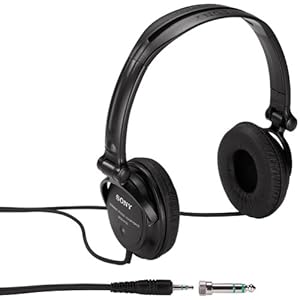
Allow me to take some time to recognize a pair of headphones I use and still use. The Sony MDR-V150 model headphones are headphones I have bought and used before (including right now). I've owned about two or three of these total. Should you consider getting these headphones? Before going any further, here is a picture of the headphones I will discuss in this post:


Sony MDR-V150.

Sony MDR-V150
^ from: amazon.com - The Sony MDR-V150 headphones deliver studio-quality sound for much less than most other headphones.


Now back to the original question- should you (yes, you) consider getting these headphones? The answer I'd give you is... yes! Why? Among other reasons, the sound quality is superb for headphones that cost as much as they do. They cost about $25 US Dollars (give or take) at many stores. Three feet of cord allows you to listen to anything from a good distance. A shielded adapter is included for larger headphone jack ports. The ear cups are reversible, so you can listen to something from just one ear comfortably. Speaking of comfortable, they are comfortable to wear and adjust on the head and on your ears. I can't think of many reasons why you SHOULDN'T get these headphones.

What I love most is that these headphones deliver great sound quality while also being very durable. They deliver amazing sound quality for a pair of headphones that cost about $25 US Dollars or less from Wal-Mart. I've been notorious for messing up headphones back when I was going to my community college. These held their weight pretty well. In my view, why waste money on a super high-end pair of headphones when these do the job just fine for much less?

If you are looking for a pair of headphones, you can plunk down the money for a pair of flashy headphones with cool graphics or hyper-realistic sound quality. Or... you can purchase these fairly inexpensive and durable headphones that will last you at least a year or two. Trust me. Each pair of this model headphones have lasted me at least a year for the two or three I've owned. It is really worth the buy. They may not look flashy or have super impressive sound quality, but these do more than enough to hold themselves up for quite some time.


This is all just a recommendation for you music listeners out there. I hope you enjoyed my quasi-review of the Sony MDR-V150 headphones. Would you like your own pair (if my review has convinced you)? If so, you can find them at just about any electronics store, just about any electronics department of stores, and of course... Amazon. Have a look at these headphones on Amazon to learn more about their specifications and to buy them (I would appreciate your business if you buy from Amazon):


^ Sony MDR-V150 Monitor Series Headphones with Reversible Cups.

Again, I would appreciate it if you loved my review and want to buy these. I don't know if my blog posts mean anything to you if you don't comment back after reading. So PLEASE let me know if my posts mean anything to you. If my presence online means anything to you, please Follow and/or subscribe to my blog(s), "Like" me on Facebook, follow me on Twitter... just show me you care in a way you are most comfortable doing so. That's all I ask. Just show me you care. Make my day just 0.01% better so I can live happier each day. Thank you for reading!

"Like" me on Facebook, Follow JBS, and/or Contact Me via E-Mail!
Subscribe to John's Blog Space (JBS) Subscribe to John's Shop Space (JSS) Subscribe to John's Gran Turismo Space (JGTS)

Logitech ClearChat Comfort USB Headset

Logitech's ClearChat USB headset is a headset to consider if you want a USB headset. I got it for Christmas in 2010. The Swiss electronics giant has made some quality products for what I've owned from them. Having said this, is the ClearChat Comfort USB one of those quality products, or is it a disappointing Logitech product? This blog post will let you in on my thoughts on the Logitech ClearChat Comfort USB Headset.

A Blogging Note:

I had initially planned on doing one blog post on multiple Logitech products, including this item I will review; but I have canceled those plans. So enjoy this review of this headset.


--- Logitech ClearChat Comfort USB Headset ---
Here is the ClearChat Comfort USB Headset from Logitech:

Logitech ClearChat Comfort USB headset
^ from: kaboodle.com - the ClearChat Comfort Headset from Logitech.

Basics.

This USB headset allows you to enjoy voice chatting, making audio recordings, and even just simply listening to audio on your computer or laptop. The left side of the headset features the microphone portion. Pull it down to be able to speak into the microphone comfortably. The right-hand side features a bunch of controls. If you do not want the microphone to be engaged, you can press a button that disengages the microphone. You will know that the microphone is disengaged if you see a red light shining on the microphone part. There is also a part of the right-hand side that has three different listening settings. The right-hand side also has its own volume control. Press on the top side or the bottom side to adjust the volume. All of this comes with an 8-foot long cable to connect to the PC via a USB port (either 1.1 or 2.0 USB).

Not only is this good for your PC/laptop, you can also engage in voice chatting on other devices. For example, I've played "Test Drive Unlimited 2" on my PlayStation 3 and used my ClearChat Comfort USB headset to engage in voice chat. My voice was projected clearly, and I was able to even intercept a few voice chat sessions while playing. I could clearly hear other players. If you do use this for gaming devices that allow for USB connections, make sure to set up everything to effectively use the headset. In fact, when I saw something online asking whether to go with a Bluetooth headset or a USB headset, the hands-down winner was the use of a USB headset.

It can also be a good headset for those of you who use Skype or any other voice chatting application. So there are a number of different usese for this headset, but it all begins with


Quality.

Vocal projection is clear and crisp when speaking. A video on YouTube I've one seen said that the ClearChat Comfort USB offers podcast-quality audio. I once considered podcasting. So when hearing that phrase, I was pretty pleased that vocal quality can be THAT crisp.


Overall Review.

Priced between $30 US Dollars and $50 US Dollars at most stores (like Wal-Mart), the ClearChat USB Headset is pretty capable and rather inexpensive to enjoy voice chatting. It is a great way to enjoy voice chatting as well as casually listening to media on your PC. Recording input and output are both solid. I had owned an older USB headset that had only one ear to it. It was great because you could set up the microphone to be on either ear. This one, unfortunately has only left-side microphone output. That's really the only deterrent to this headset. Otherwise, you can not go wrong with this headset if you want to do any voice chatting.


Did you enjoy this review and want to get these yourself? Then, I invite you to buy these on Amazon by clicking on the product link below. I hope I have convinced you with this review if you want to get these. Click on the item(s) below if you want to buy these on Amazon (I would appreciate your business if you do):


(FROM LEFT TO RIGHT)
• Logitech ClearChat Comfort USB Headset.
• Logitech ClearChat Comfort USB Headset with Laser-Tuned Audio.
• Logitech ClearChat Comfort USB Headset-Black.
• Logitech ClearChat Comfort USB Headset (Wireless).

Thank you for reading!

Become a Fan (or Like) my Facebook Fan Page and subscribe this blog (and my others) via FeedBurner (or any other aggregator in the sidebar)! Visit (or subscribe):
Subscribe to John's Blog Space!
Subscribe to John's Shop Space! (http://jbmshopspace.blogspot.com)
Subscribe to John's Gran Turismo Space! (http://johnsgtspace.blogspot.com)

Friday, June 10, 2011

PlayStation Vita and Nintendo Wii U

The PlayStation Vita and Nintendo Wii U both made their world debut at E3 2011. The Vita was designed to take on Nintendo for the portable gaming market while the Wii U looks to do what the Wii has done... only better. My friends on GTPlanet had their own debates about each system. Surely, I've provided my own input. This specific blog post on E3 2011 pertains to the PSVITA/PSV and the Wii U.


--- The PlayStation Vita ---
Here is the video announcement of the PlayStation Vita:


The word "Vita" is a Latin term that means "life." Unless you fancy the Nintendo DS or Nintendo 3DS, Sony decided to go balls out with the Vita to try to take over the Nintendo. It's going to be tough trying to better Nintendo in the portable market. The button setup really suggests this portable device can take on many more new game types. The device even has a touchscreen. Some gaming purists disliked the idea of using a touchscreen to maneuver around a screen or level. Still, it's unique in its own way. According to the G4 coverage on TV, the PS VITA weighs about the same as a regular PSP.

The Vita comes equipped with 3G Wi-Fi for the base model. The base model comes in at $249 US dollars. The 3G Wi-Fi model retails for about $299 US dollars. If you're an AT&T customer, you can take advantage of its 3G coverage because it's the official provider of 3G for the PSVITA.

If I had a PSVITA, I'd get the base model. I'm just not much a mobile person. So it's not like I'm going to be texting or doing whatever with a PS VITA. My PSP experience is very limited. I want to imagine what the Vita plays like and feels like.

To learn more about the PS Vita, visit PlayStation®Vita - PS Vita System, Next Generation Portable Handheld Console.


--- The Nintendo Wii U ---
Say hello to the Wii U:


The Nintendo Wii U allows you to take your gaming from the big screen to the 6.2 inch touchscreen controller. That way, the game doesn't end. So you can play your Wii U games even when your mom wants to watch (some TV show or movie you don't like). It is meant to be a home console, so you can't take it away from home and game away on the go.

Honestly, I don't understand why people keep on hating on Nintendo. Okay. Maybe Nintendo is not a world power anymore compared to Sony and Microsoft. However, Nintendo is not some also-ran. Some people treat Nintendo like they don't even belong in today's gaming climate. Either that, or that Nintendo is a shadow of its former self and can no longer contend with Sony and Microsoft. A valid argument about Nintendo is that Nintendo just doesn't appeal to hardcore gamers with hardcore titles. As long as there are developers willing to work with the Wii U to make great games for it (even if not up to Sony/Microsoft standards), the Wii U has a definite shot. It's just too early to say this system is going to be the next GameCube or the next Virtual Boy.

Would I want a Wii U? I am not really sure. I do feel that the Wii U has a chance. It is a nice console. To me, it seems like a combination of the Nintendo DS/3DS' screen play with Wii power. This description alone makes the Wii U at least marketable. Innovative uses for the Wii U and its capabilities will set this system up for the long haul and become a viable contender. It may not be the most groundbreaking gaming experience the Wii U will provide, but it's very far from being an also-ran or significantly insignificant. I just wish people stop hating on Nintendo like they are the modern day 3DO or something. Give the Wii U a chance.

For more information on the Nintendo Wii U, visit Nintendo Network @ E3 2011 - Introducing Wii U.


So there you have it- the PS Vita from Sony and the Wii U from Nintendo. You like? What are your thoughts on these upcoming systems? Which would you buy, or would you buy both? Thank you for reading!

Become a Fan (or Like) my Facebook Fan Page and subscribe this blog (and my others) via FeedBurner (or any other aggregator in the sidebar)! Visit (or subscribe):
Subscribe to John's Blog Space!
Subscribe to John's Shop Space! (http://jbmshopspace.blogspot.com)
Subscribe to John's Gran Turismo Space! (http://johnsgtspace.blogspot.com)

Tuesday, January 25, 2011

HKS Racing Controller for the PS3

Some people just want something a bit different. What if you don't want a standard racing wheel, though? Not too many options. Well, check THIS out. A company called Eagle3 created perhaps the most unique-looking gamepad for racing. Think of your DualShock 3 and how it's arranged when you play racing games. Now... study THIS controller:

HKS Racing Controller PS3
^ from: www.motorworldhype.com - HKS Racing Controller for the PlayStation 3.

Can you spot the differences? Where the D-Pad is replaced with a kind of thumbwheel somehow allowing for precision shifting. Where the D-Pad usually is on the DualShock is now where the right analog stick would be. The X button and Square buttons are the two pedals (so to speak). The triangle and circle buttons are to the side of the X "pedal." Apparentely, the controller even comes with a digital pressure gauge to actually gauge your pressure readout in pressing the pedals and such.

This controller would greatly suit me because I don't usually use Manual/Standard transmission in games. I usually use something like the R2 trigger to upshift and L2 to downshift. I usually set up my DualShock controllers (especially those with analog sticks) for my right analog stick to serve as my acceleration and brakes. I tilt the right analog stick downwards to accelerate and upwards to brake. One time, I think I even tried using the right analog stick as my manual transmission shifting (down to upshift, up to downshift). So that would be just as good as a car with paddle shifting. The controller is made by Eagle3 in collaboration with HKS. It is certainly one of the most unusual racing games.

My PS3 racing experience is very limited (though I am still working on finally getting a PS3 and Gran Turismo 5). However, I would want to use this racing wheel in quite a few racing games just to play-test this deal and see if it is any bit better than using a proper racing wheel. The racing purists would STILL fancy a proper steering wheel over ANY gamepad. But what do you make of this HKS Racing Controller?

Here is a video demonstrating this controller and its features:


More information on Eagle3: Eagl3
More information on the HKS Racing Controller: HKS Racing Controller for the PS3 (eagl3.com)

To all of my PlayStation gamers who love to race... would you race with this, or rather prefer a proper steering wheel? I would like to see simracingtonght on YouTube cover this thing! One YouTube channel HAS reviewed this before, though. If you want a review of this controller from a YouTube channel, check out this 7-minute long review (rather detailed):


Oh, lo and behold... it's on Amazon! Learn more about and buy this controller on Amazon by clicking on the item below!


Thank you for reading! Subscribe to my blog via FeedBurner (or any other aggregator in the sidebar)! Click on the graphics below to subscribe to both of my blogs, and also Become a Fan (or Like) my Facebook Fan Page:
* Subscribe to John's Blog Space!
* Subscribe to John's Shop Space! (http://jbmshopspace.blogspot.com)
* Subscribe to the all-new John's Gran Turismo Space! (http://johnsgtspace.blogspot.com)

Wednesday, December 15, 2010

ASIMO

(UPDATED: February 22, 2012)

I admire Honda because of their innovation. One of those innovations is the humanoid robot named ASIMO. ASIMO stands for Advanced Step in Innovative Mobility. It was built by Honda in 2000 in hopes that it could one day be of practical use. It is a household robot capable of so many things, including... walking on uneven surfaces, answering phones, and countless other tasks. In other words, its many capabilities will astound you. This blog post concerns Honda's wonderful humanoid robot.

Most of my material comes from Honda's world website on ASIMO.


--- ASIMO at a Glance ---

Meet ASIMO:
ASIMO
^ from: ecopolis.org - Honda's ASIMO humanoid robot. Concepts in 1986 would lead to its eventual birth in 2000.

ASIMO was born in 2000 after many different prototypes by Honda. Their tireless efforts to create a humanoid that could blend into the human world and be of practical use have resulted in many advances in robotic technology. ASIMO has shown up in a number of settings and in a number of places. It has been featured at many different shows. Children have had a chance to meet ASIMO during certain functions. In other words, it is hard to not be at least fascinated with what ASIMO has to offer.

You can actually purchase ASIMO for your own personal usage. The asking price, however, is pretty high. It costs about $150K USD to lease for a month, and you can lease ASIMO in the United States or in Japan (perhaps Europe too).


--- The History of ASIMO ---

Before ASIMO became the awesome robot it is today, it has seen a number of different prototypes and models to help create and realize ASIMO's potential. A variety of "E" models ("E" is short for "Experimental Model") came along with three different "P" ("P" standing for "Prototype Model) models. ASIMO was born after many years of trying to perfect and conceptualize what would eventually become ASIMO. To understand ASIMO's birth and how it became ASIMO, you must follow it's history.

E0 (Experimental Robot 0).

The prototype for ASIMO began all the way back in 1986 with the creation of the E0 (or Experimental Model 0) robot. E0 was a prototype for two walking legs. The legs and feet were properly and successfully made. However, walking motions were very slow- five seconds between steps and in a straight line. The ability to walk faster had to be implemented.

E1, E2, and E3.

Further enhancing the walking capabilities were three models designed by Honda between 1987 and 1991. E1, E2, and E3 have all helped to make their humanoid walk faster and more efficiently. E1 was instrumental in making for faster walking. It was the E2 model that was able to better mimic human walking. E3, however, was the biggest leap forward as it was able to walk at human speeds.

E4, E5, and E6.

Between 1991 and 1993, Honda continued to make their dream of building a humanoid a reality. E4 had longer legs to better simulate human walking speed. With the E5 model, the prototype was able to move on its own. The E6 model was a great enhancement as it was designed to balance itself across uneven surfaces and go up/down stairs.

P1, P2, and P3.

After seven years trying to create experimental models that would help to pattern their humanoid robot, it was time to bring ASIMO further to life. Three different prototypes were created to help make a more human-like robot. The next four years would be a process to create the humanoid robot Honda has long planned to create. Starting in 1993, P1 (or Prototype Model 1) had the same legs of the E6 model, but this one had arms and a body. P1 weighed in at 175 kilograms (or 385.8085 lbs.). Among its features, it was able to turn switches on and off, grab doorknobs, as well as pick up and carry items. Its arm and leg movements were further refined with the P1 prototype.

Three years after the P1 model was created, P2 was unveiled as the world's first two-legged humanoid walking robot. P2 was born in December 1996 weighing in at 210 kg (462.9702 lbs.) and 1,820 millimeters (5.97 feet) tall. It had a more streamlined look (as opposed to being a hot mess of robotic metal) compared to P1. P2 could operate on its own with various internals stored within P2's torso. Many of the functionalities P2 can do could be done without it being wired. Its realistic movements were enough to wow many people when it debuted proper.

P3 was the final prototype of ASIMO released in 1997. It was made lighter and more human-like than P2. It was 1,600 millimeters (approx. 5.25 feet) and weighed in at 130 kg (286.60 lbs.). This made the robot better able to fit in into the human world. Newer materials were used along with reconfiguring of its internals to make P3 lighter and better than P2.

ASIMO.

The year 2010 marks ten years since ASIMO was born in 2000 after fourteen years trying to perfect and ultimately create ASIMO. All that was learned and mastered through perfecting ASIMO came to fruition with its world debut in 2000. This smaller and lighter robot became Honda's wonderful humanoid robot. Its abilities and capabilities came to fruition while also being more compact than the P1-P3 models. Through its more efficient design, ASIMO has had its capabilities and purpose realized. Among ASIMO's highlights... it is more compact and efficient, features more sophisticated walking, more freedom in limb movements, better overall usage, and a more friendly human design.


To learn more about what ASIMO offers technologically, visit ASIMO's Technology page.


--- ASIMO in Videos ---

Time for you to see ASIMO in action. These YouTube videos will help you to see what ASIMO is all about. So check these videos out:

So who is ASIMO? Take a look at this video. Note its movements and how efficient it moves:


This was ASIMO at the 2007 CES show:


ASIMO apparently also loves composing music. Check this out as ASIMO conducts for the Detroit Symphony Orchestra:


Watch as ASIMO service customers for the FCX Clarity vehicle. There is even more than one ASIMO in this video:


ASIMO, like anything in life, isn't perfect. Here is a classic fail moment by ASIMO:


Ouch. Now you know more about ASIMO in videos!


--- Can the World Benefit From ASIMO? ---

Honda doesn't build anything if it felt it had a useful or practical purpose. Therefore, ASIMO is a worthy and more-than-welcome member of our ever-changing postmodern society. It isn't as if Honda made something that kids can play with and tear up. ASIMO was designed with practicality and purpose in mind. Part of my inclination would be that more civic structures and functions could help people where humans would usually do most of the work. If I had to look 10 to 25 years from now, I'd say that ASIMO would be a great start in helping make life better and easier for us humans.


Could ASIMO Face Competition from Other Manufacturers?

I don't think there could be a war of humanoid robots (stop me if you've heard of humans vs. robots before), but can you imagine if other manufacturers tried to make their own purposeful humanoid robots to challenge ASIMO? Imagine if some other manufacturer wanted to make their own humanoid robots to go further than what ASIMO has done. Pretend one company could make a humanoid robot that could flawlessly swim and even dive many feet below sea level. Think of a humanoid robot that could climb rock formations or scale buildings. What if a durable humanoid robot could withstand flooding or hurricane conditions?

The accessibility of these robots would help to make life easier. Maybe with some more innovation, more people could possibly own their own humanoid robot for use around homes and businesses.


Could ASIMO Be the Start of Something Bigger/Better?

ASIMO very well could trigger something special if people feel ASIMO's capabilities can be enhanced and innovated further. The idea of a purposeful and innovative humanoid robot is something that should really be met with appreciation and respect. That's why I imagined if other manufacturers and such create their own humanoid robots for the purpose of making our world a better place. The one thing I fear, however, is the fantasy scenario of "what if robots turned against humans?" An issue like this would have some religious connotations in creating something to assimilate with our society, but ends up turning on humans with some sort of re-wiring or re-programming.

The primary purpose is still on the lines of something bigger and better for the future. So ASIMO should definitely be considered something truly useful and something that could be improved upon or enhanced by other parties.


Could Honda Have Done Away With Making ASIMO?

Honda probably couldn't have created ASIMO. Then again, do we NEED ASIMO? Because of Honda looking to the future with an eye towards making something that can be of great use, ASIMO's presence doesn't hurt. Honda probably could have just stuck to making all kinds of consumer goods and automobiles and such without even tempting the idea of making ASIMO. But again- ASIMO can serve a great purpose in our postmodern world. Because of that great purpose, one has to admire and appreciate the creation and useful purposes of ASIMO. It can help when there are no humans around to aid and assist people.

As far as I'm concerned, ASIMO is a continual work in progress and will only get better in time.


I thank everyone who have had a chance to read my blog post regarding ASIMO. I want you to be able to learn more about ASIMO if my blog post has been of interest to you. Here are some links you can visit to learn more about ASIMO:

ASIMO Official Home Page
Technology Insight on ASIMO
Become a Fan of ASIMO on Facebook!
Follow ASIMO on Twitter! (wait... ASIMO can tweet?)
Wikipedia Entry on ASIMO

Thank you for reading!

Become a Fan (or Like) my Facebook Fan Page and subscribe this blog (and my others) via FeedBurner (or any other aggregator in the sidebar)! Visit (or subscribe):
Subscribe to John's Blog Space!
Subscribe to John's Shop Space! (http://jbmshopspace.blogspot.com)
Subscribe to John's Gran Turismo Space! (http://johnsgtspace.blogspot.com)

Friday, November 12, 2010

Sony Bloggie MHS-PM5 Review

(UPDATED: April 12, 2012)

The Sony Bloggie replaced the Webbie in offering a much more complete and easy experience in making videos. Settings for video and picture sizes along with a bevy of extra options help make this camcorder one of the finest on the market. Many people have complained of many things about the camera (including its name). I don't think the name is silly at all. It isn't cute, it isn't annoying... if name means so much to you, stay away from this camcorder. Even though the Bloggie MHS-PM5 (as well as the MHS-CM5) models have been outdated by the new Sony Bloggie Touch, I still wanted the MHS-PM5. What you're about to read is my own personal review of the Bloggie MHS-PM5 along with various things you have to know about this camcorder.

I wasn't requested or paid to do this review. You know I speak from the heart. The Bloggie MHS-PM5 that I bought came in White. Other available colors for the Bloggie MHS-PM5 include Blue, Eggplant, and Pink. If you order a Bloggie from Sony online, you can customize your Bloggie by having it engraved with certain designs.


LATEST UPDATE(S)/REVISION(S):

APR 12 2012 - edited look of post as well various individual edits


--- Sony Bloggie at a Glance ---

Here is a picture of the Sony Bloggie MHS-PM5:
Sony Bloggie MHS-PM5 (White)
^ from: bizrate.com - The Sony Bloggie MHS-PM5. Also available in Blue, Eggplant, and Pink.

As I mentioned earlier, the Bloggie is the replacement for the Sony Webbie HD. It was the cool camcorder before the Bloggie lineup came along. Whereas the Webbie offered up to 1440 x 1080 video at 30 frames per second, the Bloggie offers up to 1920 x 1080 video at 30 frames per second. It had capability for external media cards, but ONLY Sony's proprietary media card- the Memory Stick PRO Duo. The Bloggie allows for the Memory Stick PRO Duo along with basic Micro SD cards. That is a good thing because a Memory Stick PRO Duo can cost a bit more than a basic Micro SD card. A 16 gigabyte Micro SD card can cost up to ten US dollars less than a Memory Stick PRO Duo of the same capacity. So the Bloggie is more versatile in memory than the Webbie.

People have complained so much about the video quality of the Bloggie camcorders. Almost as if people were expecting an extremely powerful camcorder, yet get disappointed because this isn't some super-powereful camcorder. Before anyone complains, this camcorder is NOT for the one who wants a professional camcorder. The Bloggie is merely a point-and-shoot challenger to the Flip cameras (among others). Almost the proper intent of a camcorder like this is for the video blogger to make great videos. You are even able to photograph yourself by simply swiveling the swivel lens towards you. This camcorder gives you full control. If you want to make YouTube videos or if you want to shoot a quick video to share online, this camcorder will allow you to do just that. You could probably look elsewhere if you want something with better image quality (like the Kodak Zi8). But what if you don't want the Zi8 (or any other challenger)? Well, you won't be disappointed with the easy-to-use and utilize Sony Bloggie MHS-PM5.

Speaking of the models, the Sony Bloggie MHS-PM5 is the basic and completely useable camcorder. This version is easily pocketable, unlike the MHS-CM5, which is the more camcorder-like and easier to handle version of the Bloggie. Some say the MHS-CM5 is a better performer with better quality than the MHS-PM5. There are kits you can purchase for the MHS-PM5 to give the Bloggie some extra features. For one, you can purchase the MHS-PM5K. The Sony Bloggie MHS-PM5K/W features a unique 360° lens that is good for taking panorama shots. It's awkward in video, though. You'll know how awkward it can be if you look up "Bloggie MHS-PM5K" on YouTube and see how videos shot in the 360 lens look. The Sony Bloggie MHS-PM5/V features a special wide lens you can attach to the Bloggie to take wider-angle shots. I don't think it's sold in the United States, though.

To keep it simple, I will ONLY discuss the MHS-PM5 through this blog post.


Why You Need External Media.

The Bloggie MHS-PM5 has 26 megabytes of memory. If you don't have an external media device, here is all you're going to get with this camcorder:

--- Still Images (without an external media device) ---
• 162 still pictures at VGA (640×480) resolution.
• 30 still pictures at 2 megapixel (1920×1080) resolution.
• 17 still pictures at 3 megapixel (2048×1536) resolution.
• 13 still pictures at 4 megapixel (2592×1728) resolution.
• 8 still pictures at 5 megapixel (2592×1944) resolution.

--- Video (without an external media device) ---
• 1 minute, 29 seconds of video at 640×480 (VGA) at 30 frames per second.
• 41 seconds of video at 1280×720 at 30 frames per second.

You somehow have to admit- these capacities not really that bad if you just want to use this to shoot some quick video or take a few pictures. If you want to make some more material or shoot better quality videos, you're better off getting an SD card or a Memory Stick PRO Duo.


What Comes With the Bloggie MHS-PM5?

The Sony Bloggie MHS-PM5 is now an older model, having been overshadowed by the new Bloggie Touch. Here is a brief feature list of the Bloggie MHS-PM5:

• 270° swivel lens
• LCD screen
• rechargable battery included
• cable included to attach to the PC, but also includes a USB arm of its own
• multi-AV terminal cable included to connect to TV units (no HDMI cable support, however)
• five different still image sizes- from 640×480 to 2592×1944.
• four different video sizes- 640×480 at 30p, 1280×720 at 30p, 1280×720 at 60p, and 1920×1080 at 30p
• zoom up to 4x (for most modes)
• support for Micro SD cards and Memory Stick Pro Duo; up to a 16GB(?) micro SD card or Memory Stick Pro Duo can be used.
• software on a CD that includes PMB software for porting over images and video.

These are all among a number of different things included.


--- Initial Impressions ---

The Sony Bloggie MHS-PM5 is my all-new camcorder. I needed to take the next step with my video making. One such big step is to get a new camcorder. The reason why I went from my Insignia NS-DV1080P to my new Bloggie is because for the life of me, I could never seriously utilize the Insignia to make the kind of quality videos I want to make. I've mostly used it for beauty shots and for small video pieces. You might have seen a few of them if you watch my YouTube channel and seen some of my latest videos.

An important thing to note is that the Sony Bloggie MHS-PM5 represents the previous generation as the new Bloggie Touch is on the market.


Getting my Sony Bloggie.

It was a goal for me to go out and see what stores have a Sony Bloggie. I first visited a Walmart. I've seen the Bloggie I was looking for a few times at Walmart. This time, however, only the Bloggie Touch was offered. So I was a bit disappointed. However, I had a Plan B- go to a Target store. Lo and behold... I found what was the only Sony Bloggie still available! So I went ahead and bought me a Bloggie to look forward to making better videos, but also to have more versatility in making videos.


Getting Adjusted to the Bloggie.

Life is different getting adjusted to the Bloggie MHS-PM5 after spending most of the year with the Insignia NS-DV1080P. The transition, however, was rather smooth. I had to get adjusted to the swivel lens and all the various nuances of the Bloggie. I took some practice photos and videos using the PNY SD card from my Insignia camcorder. Unfortunately, the PNY SD Card never became recognized to my PC. It was recognized to my Bloggie as I had 4GB of space to work with, but NOTHING to show for when I tried to upload the SD card to my PC. Fortunately, my parents had a pack of SD cards from SanDisk that I could use as a substitute. I loaded up a 512 MB SanDisk sound card, and everything I put on it could be read. I could freely be able to store content onto my Micro SD card and place the Micro SD card into my PC. I don't need to have the SD card inside the Bloggie MHS-PM5 as I attach it to the computer to utilize my stored data.

So the moral of the story for me- NEVER buy a PNY product ever again! I will be using most of the items that I've had from my Insignia camcorder, like the carrying case and the tripod I bought as part of the package.

(added: November 15, 2010) - Actually, my PC does NOT read SDHC cards. So that's why my PC doesn't read them. I have to hook them into some other device to be able to use them effectively when trying to read them on the computer.

(added: May 14, 2011) - Since my PC doesn't read SDHC cards, I use a 2GB SD card. It still gets the job done. I recommend you get a 2GB SD card to use unless you have an adapter for SDHC cards available.


Taking Pictures and Making Videos (Initial Reactions).

Images are recorded in JPG format with five different image sizes you can choose from. There are two problems I've had taking pictures- (1) you have to hold down the button for about a second or so for the image to be completely snapped, and (2) this is NOT recommended for taking pictures in low-light situations. All you will see is darkness if you try to take pictures in the dark. Pictures are a bit grainy at normal resolution, but nowhere near as grainy as with my Insignia NS-DV1080P.

Videos are made in MP4 format with the Bloggie MHS-PM5. I use Sony Vegas Movie Studio HD9 to edit videos. Someone asked me if this was the only way to edit videos. Well, it isn't. Sony Vegas Movie Studio HD9 is just the program I use to upload and edit my videos. An important thing I learned is how to take out parts of videos. This allowed me some extra versatility in making videos. Just like with pictures, do not shoot videos if it is really dark.

Later in this blog entry, I will compare the Bloggie MHS-PM5 to my previous camcorder (the Insignia NS-DV1080P). Stick around for that.


Playing with the Bloggie.

You had to flip the screen on the Insignia NS-DV1080P to get it to start. You either press the On/Off button or swivel the lens to make the Bloggie come on. Everything seemed to work like a breeze with the Bloggie. You could even set screen size for still images (unlike the Insignia NS-DV1080P's fixed 2592×1944 images). Video sizes were also easy to set. Video sizes start at 640×480 at 30p, there are also two modes of 1280×720 featuring both 30p and 60p, and the largest size goes all the way up to 1920×1080 at 30p. The ease of control makes this camcorder absolutely incredible to use. A few notes... the camcorder does NOT have a flash or a macro setting. One of the primary criticisms of this camcorder is how poor close shots can be.

Making Videos.

Loading up Sony Vegas Movie Studio HD 9, I learned how to take advantage of this camcorder's abilities. Videos are only recorded in MP4 format. Fortunate for me, this is a Sony camcorder playing with a Sony movie maker. End result = easy and seamless use of importing video pieces. I later learned how to take advantage of the available formats for editing MP4 videos. Also important... I FINALLY learned how to trim and reduce parts of videos. Anyone who knows me on YouTube knows that I try to do everything in one take. So that's why I seem so awkward in a number of my videos.

Let's put this to perspective for a moment. If you read my Insignia NS-DV1080P blog post, you know I mentioned having to convert the AVIs to a more recognizable format for my PC, thus extending the wait to make proper videos in WMV format. I have to convert the videos because Sony Vegas Movie Studio HD 9 fails to recognize the audio in videos from the Insignia camcorder. With the Bloggie and with Sony Vegas Movie Studio HD 9, I just put the MP4 video right in, and I'm already in business. I just have to remember to save the video in a certain format based on video size for it to be uploaded successfully and play great. The process runs much better than what all I had to go through with my Insignia camcorder.

The only problem I have faced in video-making is trying to play back my MP4 files with certain programs. This is my first experience with MP4 video after two years of working with WMV videos. I basically needed a few codecs for which to play MP4 files as easily as WMV video. I would recommend you at least get the latest DivX codec package for your PC if you have trouble with videos. Picking up ffdshow and x264vfw wouldn't be bad ideas, either.

Recharging the Bloggie.

There are two ways to recharge the Bloggie. One way is to connect it to your PC or laptop, or you can recharge it with some sort of charger for the Bloggie. On the bottom of the Bloggie MHS-PM5 is a slider that allows you to access the USB arm. Slide this out, and then connect the USB arm to an available USB port on your PC. If you don't have a USB port to freely connect the Bloggie to without needing the USB cable, connect the USB cable to an available USB port, and then connect the USB arm to the USB cable to recharge it. I don't have an external charger, so I can not help you here.


After just one day with this older model Bloggie, I already feel I can make a lot of progress with a lovely camcorder like this. I now feel I can use my SD card to hold my data rather than have to worry about storing everything to my PC for better availability and usage. I may also think about uploading videos from a device other than my PC to share material online. I was thankful to find this at a Target rather than have to order one online.


--- Sony Bloggie MHS-PM5 Specifications ---

This section pertains to some of the finer points of the Sony Bloggie MHS-PM5.

Still Images.

There are five image sizes you can choose from:

• 640×480 (4:3, VGA)
• 1920×1080 (16:9, 2 megapixels)
• 2048×1536 (4:3, 3 megapixels)
• 2592×1728 (3:2, 4 megapixels)
• 2592×1944 (4:3, 5 megapixels)

With the Insignia, the pictures appear very grainy. With this Bloggie, the pictures appear clear, but rather soft. Color quality is wonderful without needing to fully saturate the images. Images can sometimes be a bit blurry. Close pictures are not really recommended with this camcorder. Also, you may want to avoid taking dark pictures. Unlike my previous Insignia NS-DV1080P, there is no flash with the Bloggie MHS-PM5. So you are unable to take quality pictures in low-light situations. Also, you can not digitally adjust light to allow for better viewing quality in darker situations. It's perhaps best to have the beeping noises on because you can never really tell if your picture really flashed. You have to hold down the photo button for about a second or two for the picture to be taken.

With 5 megapixel (2592×1944) images, this camcorder delivers better quality images than the Insignia NS-DV1080P (which is fixed at 2592×1944 images). The color quality is better without needing to saturate the images to enhance the color quality. Pictures appear more grainy as you zoom in with the Insignia. However, the quality of images with the Bloggie MHS-PM5 is rather modest when zoomed in. The images may be a bit blurry sometimes. So rather than make images softer with the Insignia, I sometimes have to make images sharper with Bloggie MHS-PM5 images.


Videos.

The Sony Bloggie MHS-PM5 allows for four different sizes of video. Videos are recorded in MP4 format. Audio quality is expressed in 48000 Hz with stereo sound. The microphone is fixed with mono sound (no external microphone support enabled) You can select from four video sizes:

• 640×480 at 30p
• 1280×720 at 30p
• 1280×720 at 60p
• 1940×1080 at 30p

The Bloggie MHS-PM5 has a very sensitive microphone. I once did a demo video walking around my house, and I could actually hear the steps I was taking as well as the breathing I was doing while recording.

One great thing about the Sony Bloggie is that you are able to use a monitor or TV to hook in. The Bloggie MHS-PM5 comes with a composite cable that you can use to hook into a TV. I was able to get this to work on the first try with the Bloggie, whereas I had tried and failed to hook in my Insignia NS-DV1080P to any TV. For owners of HDTV units, the Bloggie MHS-PM5 does NOT include HDMI cable support. There is not even an HDMI port for this camcorder. You can use a TV or monitor to view your pictures on your TV. All you need to do is tune your TV to its auxiliary channel (or AUX channel), hook in the Multi-AV cable to the proper slots, and just turn on the Bloggie to check out your material on any TV. It was great seeing my pictures and recordings on a TV unit. The TV or monitor serves as the screen for your Bloggie once you make the proper connections. Everything stored on your Bloggie or on some sort of external storage device is shown. You can use your Bloggie to show off videos and images stored on your Bloggie or in any external media device to be displayed on TV or on a monitor.


--- Sony Bloggie MHS-PM5 Reactions ---

This is a notebook of ideas regarding the Bloggie. Have a look.

• You don't need to swivel the swivel lens to activate the Bloggie MHS-PM5. In fact, you don't even need to swivel the lens to turn on or off the camcorder. You can just press the On/Off button (with the lens in its off position) to turn on and off the camcorder. The Bloggie will still ask you to rotate the lens portion, but you don't have to. You can press the On/Off button and rotate the lens, and then press the On/Off button to turn off the camcorder. Just remember to put the lens back into its off position.

• For one thing, you can not attach the Bloggie to your PC while you still have an SD card included. You will need to take out your external media device and insert that device (whether an SDHC card or the Memory Stick Pro Duo) into the proper slot in your PC. If you have the PMB software installed, you will be able to use your Bloggie (with the card in the device) to upload media to your PC or to any number of online sources (like Facebook, YouTube, etc.).

• Set the memory feature to "Multi" to allow for usage of both the Flash memory on the Bloggie MHS-PM5 AND the Memory Card data.

• You can zoom up to 4x. It won't make your zoomed-in images any better, but you are able to record and take pictures from far away. It is a bit slow to zoom properly.

• The Bloggie (MHS-PM5) comes with a secondary USB cable to attach to your PC. This is great if you don't have a laptop or some easy access to the PC with a USB port. This camcorder seemed to be better served towards uploading to a laptop or netbook rather than to desktop PCs. The USB arm was my biggest concern with the Bloggie. Thankfully, having this extra cable helps greatly. You can charge the rechargeable battery by hooking it into your PC or with some sort of charger.

• You don't need much in the way of codecs as you do with the Insignia NS-DV1080P. It took a lot for me just to play back the AVI files from the Insignia.

• You can turn off the sounds of the Bloggie, but it's recommended to keep the sounds on, just to ensure that whatever is being recorded or photographed actually goes through.

• If you need to enhance your pictures, make sure to have a good program for which to edit images with. I needed to soften my images and then re-sample them with my Insignia NS-DV1080P camcorder. Don't forget that you can adjust the initial image sizes for pictures taken with the Bloggie MHS-PM5.

• You may want to purchase a tripod if you intend to do some professional-style videos from a set position.


--- Sony Bloggie MHS-PM5 vs. Insignia NS-DV1080P ---

As I own both camcorders, I feel I must give a proper comparison of these two camcorders based on my experiences with them. Allow me to offer my own thoughts

The Sony Bloggie (MHS-PM5) is Better than the Insignia NS-DV1080P...

• ...in still image quality (most close shots notwithstanding).
• ...in video quality.
• ...in interface and usability.
• ...in inserting and taking out external memory cards (Micro SD or Memory Stick PRO Duo).
• ...in versatility.
• ...in processing pictures.
• ...in starting up and shutting down. It is much quicker than the Insignia. You don't need to have the swivel lens open to start up the Bloggie. Just press the On/Off button, and you can turn it on or off without needing to engage the swivel lens.
• ...in vlogging (video blogging). That was the primary intent of this camcorder- for video bloggers. Don't look for this camcorder to be your 1080p video blog of your own Discovery Channel-quality Amazon rain forest adventure.
• ...in adjusting image sizes. You have five image sizes to choose from as opposed to the fixed 2592×1944 resolution for the Insignia NS-DV1080P.
• ...in editing/deleting files stored on the Bloggie or on a memory card of some sort. You can delete multiple files at a time unlike with the Insignia NS-DV1080P.
• ...in the spirit of point-and-shoot. The Insignia NS-DV1080P is more bulky and not as pocketable as the Bloggie. The Bloggie is very pocketable. To protect it in your pocket, though, you may want to buy a protective sock or something to prevent it from picking up scratches while in your pocket.
• ...in being quiet. The sounds are minimal for the most part. The loudest sound effect is when a picture is taken. The Insignia NS-DV1080P has some loud sounds and is not very good if you're trying to covertly take pictures or shoot video.
• ...in allowing for timed video or pictures. You can set the timer to set either for ten seconds or two seconds with the Bloggie. Compared to the Insignia NS-DV1080P, the Insignia ONLY allows a 10-second delay if you use the timer feature.
• ...in remembering your saved settings. With the Insignia NS-DV1080P, everything is set to Auto in picture quality and in color quality. You also have to manually set for digital light images if in dark settings. The Bloggie remembers almost everything without needing to manually change things all the time.

The Insignia NS-DV1080P is Better Than the Sony Bloggie (MHS-PM5)...

• ...with low light settings (because of the digital light settings and the flashlight). Even if pictures and videos are grainy, at least this can show dark pictures and videos. The Bloggie is not worth using in low-light situations as most of what you record is very dark.
• ...in zooming in and out. The zoom is rather slow with the Bloggie compared to the NS-DV1080P.
• ...in taking pictures. You don't have to push down on buttons for a brief amount of time just to snap a picture or take a video with the Insignia than you do with the Bloggie (MH5-PM5).
• ...with Mac support. You can use AVI or MOV for the Insignia camcorder, but you can only select MP4 for the Bloggie. Mac support is available for the Bloggie as a free download (or so I hear).
• ...in not being as easy to scratch up. I use a protective sock from the Insignia to store my Bloggie.
• ...in being better to hold onto. It can be easy to slip the Bloggie accidentally and drop it. You'll need to be very careful holding onto the Bloggie. If it helps, hold onto the Bloggie while using the wrist strap (after attaching the wrist strap, of course).
• ...in HDMI support. It has an HDMI port unlike the Bloggie MHS-PM5.


--- Final Thoughts ---

So all in all, the Bloggie (MHS-PM5) is a substantial upgrade from the Insignia NS-DV1080P. The Bloggie was everything I had hoped for, and it has even surpassed some of my own expectations. This camcorder and the NS-DV1080P are about in the same price range. When I bought my Bloggie at Target, I would recommend you also buy a warranty plan to cover it. I think I bought a 2-year warranty plan to cover it. The camcorder was about $150 USD from Target. Add on the 2-year plan, and it adds about $30 USD more to the price of the Bloggie. There is little to no doubt that the Bloggie is going to be an essential tool in making videos and taking pictures.

This is the camcorder for you if you want to take your own personal pictures and videos in point-and-shoot fashion. Its versatility and almost uncompromising usability makes it a worthy camcorder for all of your photo and video needs. It is perhaps the most versatile point-and-shoot camcorder on the market. Rather than relying solely on flash memory, you can use external media storage cards to port over your material effectively online or on your computer. You could simply shoot a quick video and then go post it online. You can even take a few quick pictures to quickly post on photo-sharing sites. The disadvantages are either minimal or moderate. If you want a more capable camcorder, get a proper camcorder. But if you want a camcorder good for point-and-shoot goodness, this is one of the best camcorders to get.

Even though the Bloggie MHS-PM5 has been recently surpassed by the new Bloggie Touch, this is still a very good and easy-to-use camcorder to use. Sony has really done a great job in providing a fun and easy-to-use point-and-shoot camcorder. The camcorder's many positives outweigh many of the negatives. For a point-and-shoot camcorder that costs about $150 US dollars, there aren't too many great point-and-shoot camcorders that is comparable for its price. There may be other camcorders that have better image and video quality, but none of them are as usable and pocketable as the Bloggie MHS-PM5. Do yourself a favor and go get this camcorder to boost your versatility in pictures and video.


--- If You Enjoyed This Blog Post... ---

Let me thank you for your support! I am committed to making quality material for my blog. I do everything with hopes that someone will actually read and enjoy my material. It is a personal blog of mine, but I do my best to be professional in all of my work. If you have any questions on what you read, or if you want to post some comments, feel free to reply to this blog post. I may not have the answer to everything, but I will try my best to service you.

Maybe I'll update this blog post in the future with more thoughts and more things to recommend, but this is basically the totality of my thoughts on the Bloggie MHS-PM5.


--- Other Reading and Links ---

The following includes various material you can see online. Click on each heading to visit the material in question:

Sony Bloggie

Learn more about the Sony Bloggie series by visiting Sony Style USA. Other regions may be available for international readers of my blog.

The Sony Bloggie Series

This is my blog entry discussing the entire Sony Bloggie lineup, including my first thoughts on the Sony Bloggie MHS-PM5 prior to eventually buying one.

Sony Vegas Movie Studio HD 9

This is my blog post on the video-editing software I use for my videos. You can even buy the program in question if you have Amazon and want to buy this program for yourself.

Insignia NS-DV1080P Review

I have mentioned the Insignia NS-DV1080P in this blog post. You can read this blog post to learn more about what the Insignia NS-DV1080P has to offer. It isn't right for me to post a blog entry on another product, but if you want to know more about the other camcorder of mine, you can by visiting that blog post.


Shop for all things Sony Bloggie by using this Amazon widget:


...or search specificially for the Sony Bloggie MHS-PM5 (and accessories thereof) using this Amazon widget:


...or buy your own Bloggie (MHS-PM5) from Amazon here:

^ Sony Bloggie MHS-PM5. Available colors: White, Blue, Eggplant, and Pink.


NOTE: More resources may be made available in future edits.


Thank you for reading!

"Like" me on Facebook, Follow JBS, and/or Contact Me via E-Mail!
Subscribe to John's Blog Space (JBS) Subscribe to John's Shop Space (JSS) Subscribe to John's Gran Turismo Space (JGTS)